
Published: 08-06-2026 | Updated: 20-08-2026
Article written and reviewed by Shudhanshu Iweu
This independent guide was checked against the official DigiLocker and APAAR links below. Never share your Aadhaar number, OTP, or DigiLocker password with anyone.
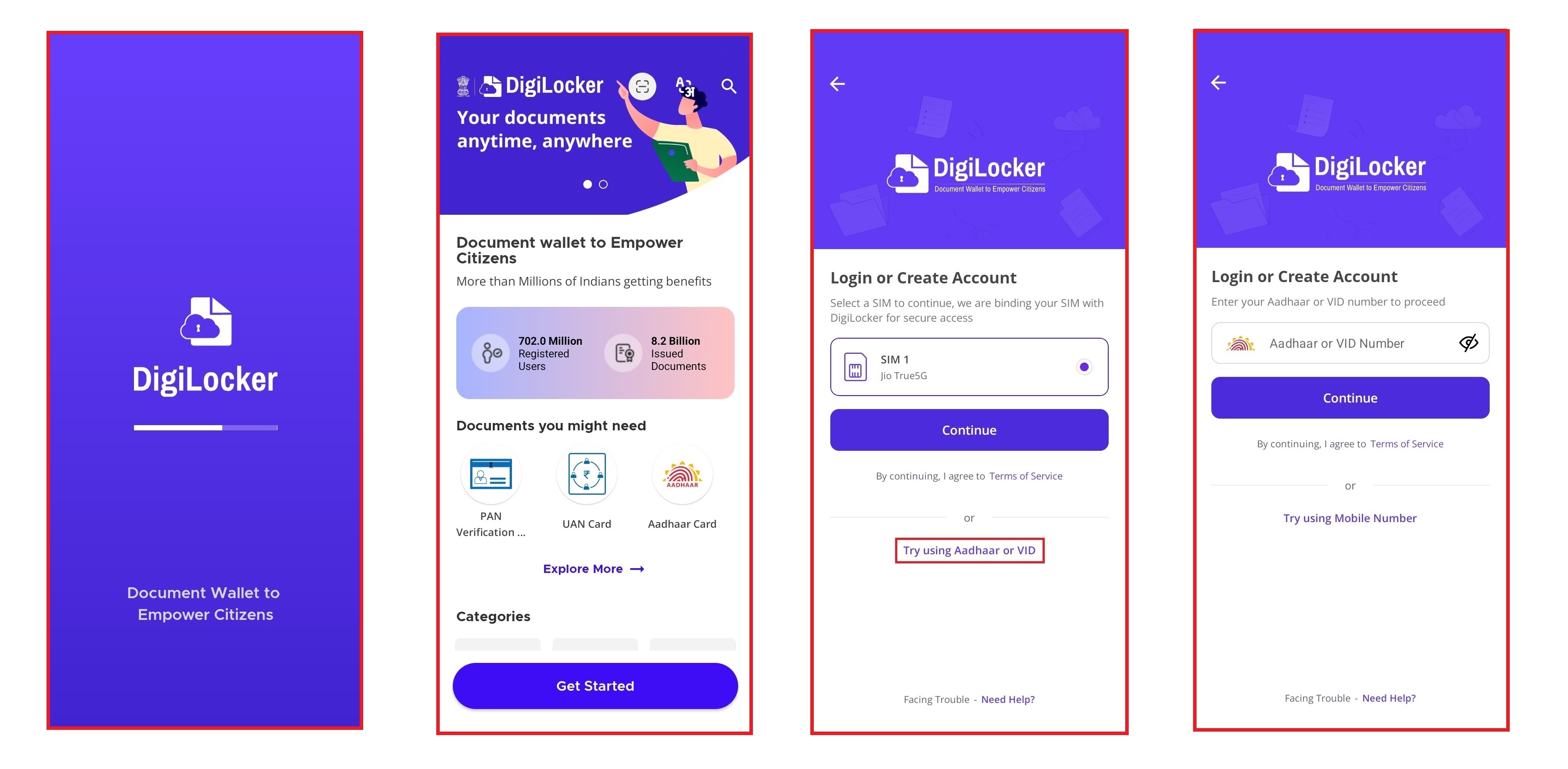
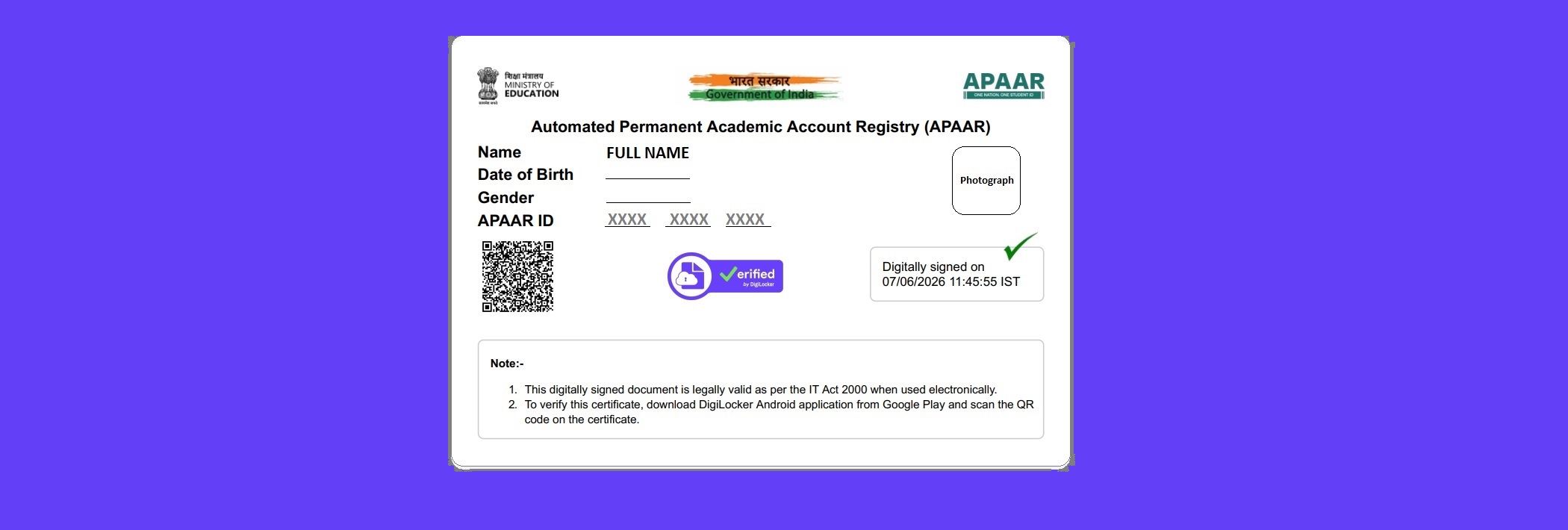
First of all, you have to download the DigiLocker app from the Play Store on your smartphone. After completing the download and successfully opening DigiLocker, you have to click on the Get Started button, which is available on the landing page or front page. After clicking on "Get Started," there is an option showing on the screen called Try using Aadhaar or VID; click on it. Provide your Aadhaar number and press continue, and then it will ask you for your user-created 6-digit password. If you don't have a password, don't worry; click on the forgot link and provide your date of birth, which is available on your Aadhaar card. After providing the date of birth, if your date of birth is correct, it sends an OTP (One-Time Password) for verification to your Aadhaar-registered mobile number. It also shows the last four digits of the registered mobile number which you provided during the Aadhaar registration time. After providing the OTP, you have to create a 6-digit password; for example, if your date of birth is 10/10/2005, you can set the password as 101020 or 101005, whichever is best for you, or you can also set a random six-digit number that is memorable to you. Then click on Issued, which is located at the bottom of the page. After clicking on "Issued," you will get your APAAR ID if you have created it in previous days. If you have never created an APAAR ID before, then you have to create it, which is also simple. You have to click on the Home page or dashboard, where you will see a search option. Type "APAAR ID" into it, and when it shows the option for APAAR ID, click on it and then fill in the required details. If you don't have a registration number, select None and then click on submit; it will provide you with an APAAR ID and also a card. Again, click on "Issued" where you found your APAAR ID the first time, which shows the option to view the APAAR ID. When you visit the second time, it also shows multiple options like Share, where you can share your APAAR ID on someone's WhatsApp for future use. The benefit is that the file is shared in PDF format, so this is good for your print quality.
| Download Digilocker | Click Here |
| APAAR official website | Open official website |
| DigiLocker official website | Open official website |
 Join Our Channel